Product tour
A walk through Aminoka, screen by screen
What you get once you sign in: the screens, what each one does, and where the app is still thin. Nothing listed here is a roadmap item — it is all in the app today, and the gaps are named at the bottom.
Discover
Discover is the first screen and the only one you can use before joining anything. Communities are grouped by interest — anime, roleplay, music, gaming, art — with a recommended row you can shuffle and a list of communities that are currently busy. It is curated rather than exhaustive: the goal is that a new arrival finds somewhere worth being in under a minute, not that every community on the platform is listed on one page. Search sits alongside it for finding a community by name.
Tapping a community opens it in a stacked view — the new screen slides over the old one and the screen underneath stays live, so backing out returns you exactly where you were, scroll position included.
Inside a community
A community has four tabs. Featured is what the moderators have pinned. Latest Feed is the wall — text posts, image posts and polls in plain reverse-chronological order, with comments and likes on everything and no engagement ranking deciding what you see. Public Chatrooms lists the rooms anyone in the community can walk into. Wiki holds the reference material: lore pages and the character pages members have published from their own libraries.
Behind that there is an info page with the rules and the moderator roster, and a leaderboard that ranks members by their current daily check-in streak — a small mechanic that turns out to matter a great deal in the first month of a new community.
Creating and running one
Creating a community is a short wizard — name, description, cover photo, icon, accent colour, interest tags — and it is free. You decide how people get in: open to anyone, manual approval where you review each request, or a secret password. As the creator you hold the leader role and can promote curators.
The moderation panel has seven tabs: general settings, access rules and invite links, channels, a reorderable list of community rules, members, pending join requests, and bans. Reports raised by members land there too.
Chat
Chat runs over a persistent connection rather than repeated polling, so messages land the moment they are sent and typing indicators and presence are genuinely live. There are public rooms belonging to a community, private group chats, and direct messages between two people.
Inside a conversation you get replies, emoji reactions, message editing and deletion, @-mentions with autocomplete, inline markdown, images and a gallery picker with a lightbox, recorded voice messages, and per-message translation with automatic language detection — useful, because communities here are rarely monolingual. Voice calls run inside a room for people who would rather talk. Each room has an info screen for the member list, invites, muting and moderation.
The global Chats tab spans everything at once and separates recent conversations from message requests. Inside a community you also get a chat inbox scoped to that community alone, held under the persona you use there.
Personas and profiles
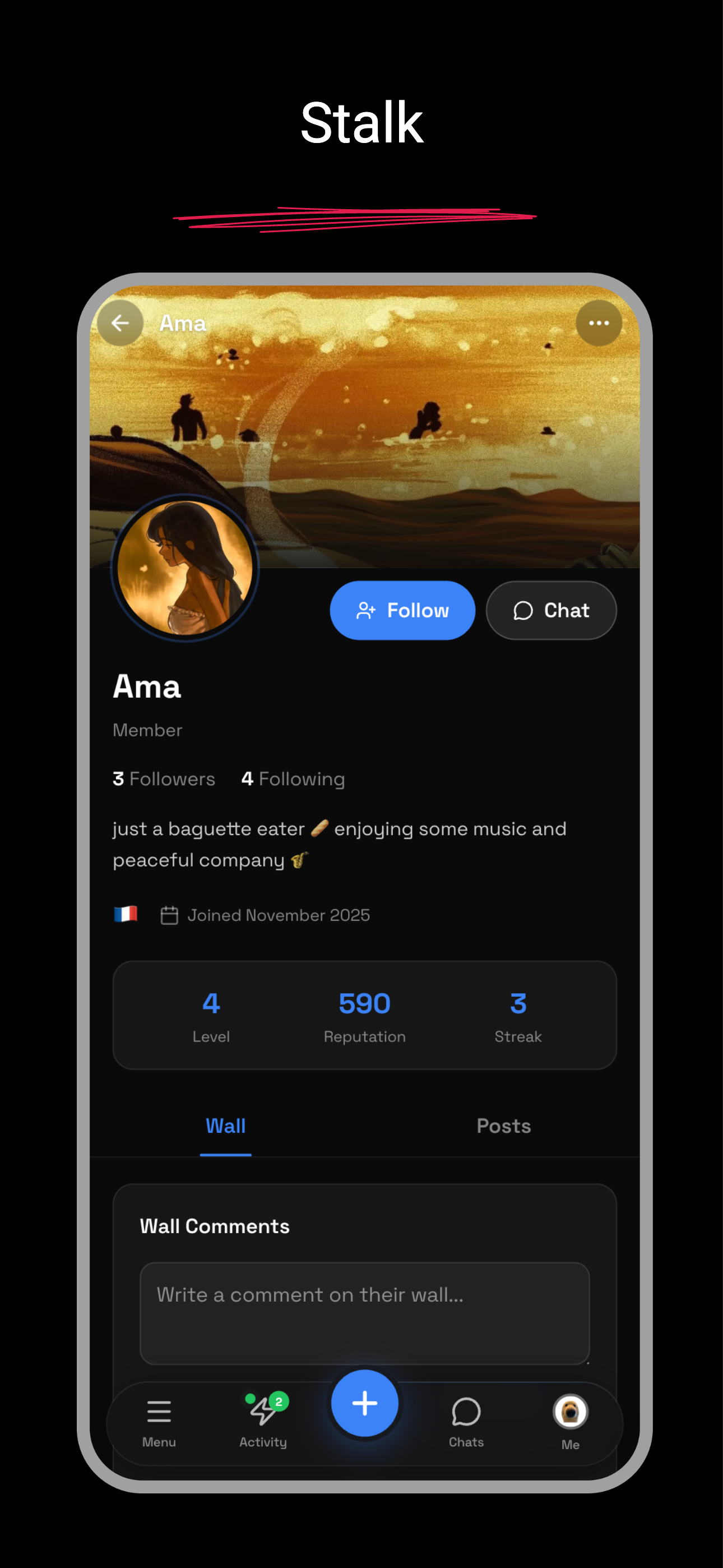
This is the part that most distinguishes Aminoka from a chat server. Your account has a global profile — name, avatar, bio. But inside a community you are represented by a persona: a separate profile with its own display name, avatar, bio and status, addressed by an opaque public ID generated at random rather than derived from anything about you.
There is deliberately no path from a persona back to the global account, and follows inside a community connect personas to personas rather than accounts to accounts — precisely so two communities cannot be cross-referenced to work out that the same person is in both. Privacy settings let you blur sensitive content and hide yourself from online lists, and the same screen discloses that an automated classifier screens posts for sexual and violent content.
The character library
Original characters get first-class treatment here instead of being pasted into a chat message. A character has a portrait, a bio, pronouns, an age, a species, an alignment, a theme colour, tags, a gallery of images, numeric stats, labelled traits and named abilities. Characters can be private drafts or public pages, and can be archived rather than deleted.
Collections group them — a cast, a verse, a story arc, a fandom — with their own cover and colour. A character can be published into a community, where it shows up in that community's wiki under your persona. And you can equip a character in a chat room, so your messages there appear under that character's name and face rather than your own.
Alongside it, the icebreaker screen is a live one-to-one matchmaker: you join a queue, and when someone else joins it you are both dropped straight into a fresh chat together. It exists for the times a community is quiet and you want someone to write with right now.
Coins, streaks and games
Checking in to a community once a day builds a streak, which feeds that community's leaderboard and pays out Aminoka Coins that grow with the streak length. There is also a small arcade: a canvas mini-game with a handful of plays a day and a coin reward scaled to your score, plus a set of proper multiplayer games — chess, checkers, Connect 4, Battleship, Go, tic-tac-toe, Bomberman and others — that can be started inside any chat room or at a table in a game lounge.
Coins are earn-only. There is no catalogue, no purchase endpoint and no in-app purchases anywhere in Aminoka — the Store screen shows your balance and how to earn more, and says so plainly rather than displaying a shelf of things you cannot buy.
Notifications, search and settings
Notifications cover new posts in your communities, comments, likes, chat messages and new followers, with push available on mobile and per-category controls in settings. Search finds communities by name. Settings cover your global profile, privacy and safety options, and notification preferences, and account deletion is available from there — what deletion removes and what is retained is set out in the Privacy Policy.
Screens
-
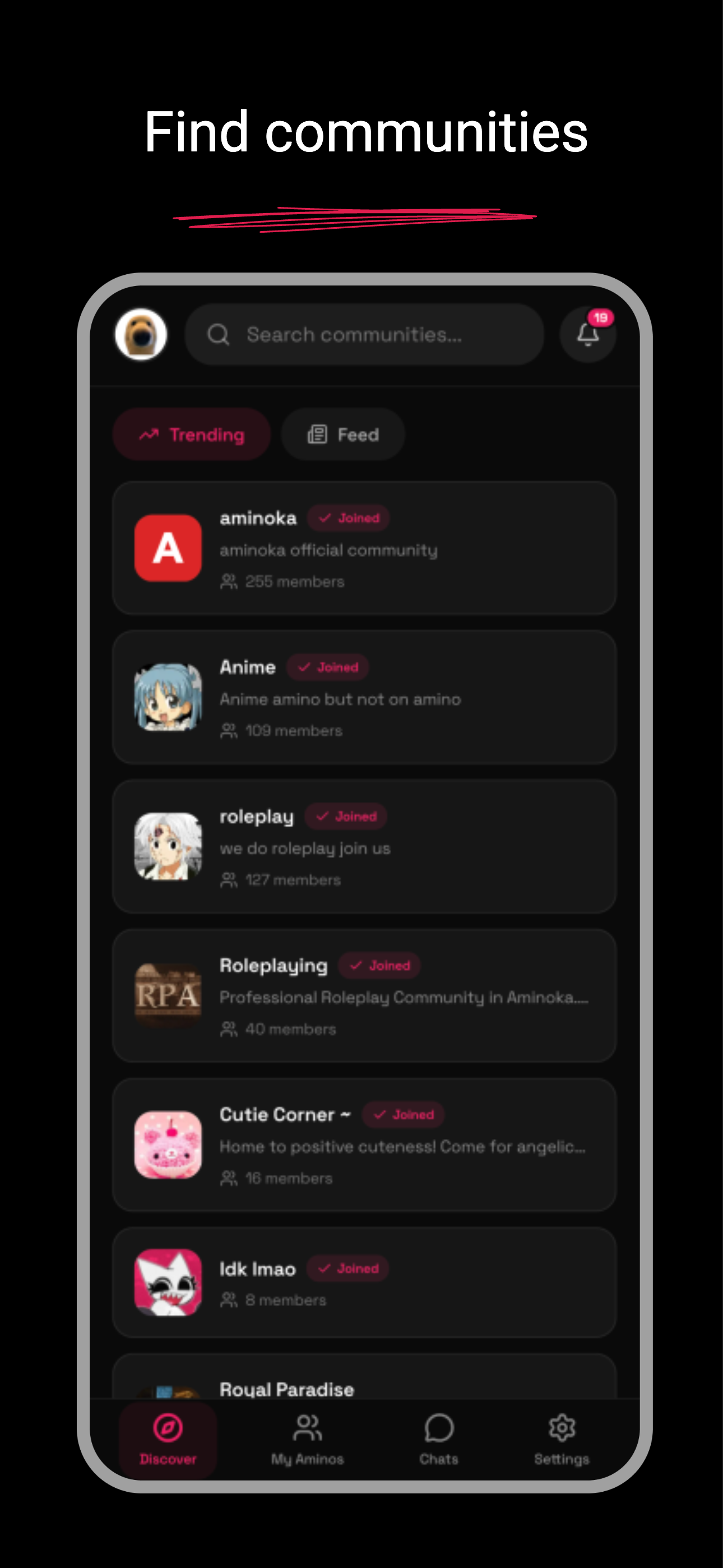
Discover — the front door. Browse communities before you have joined anything. -
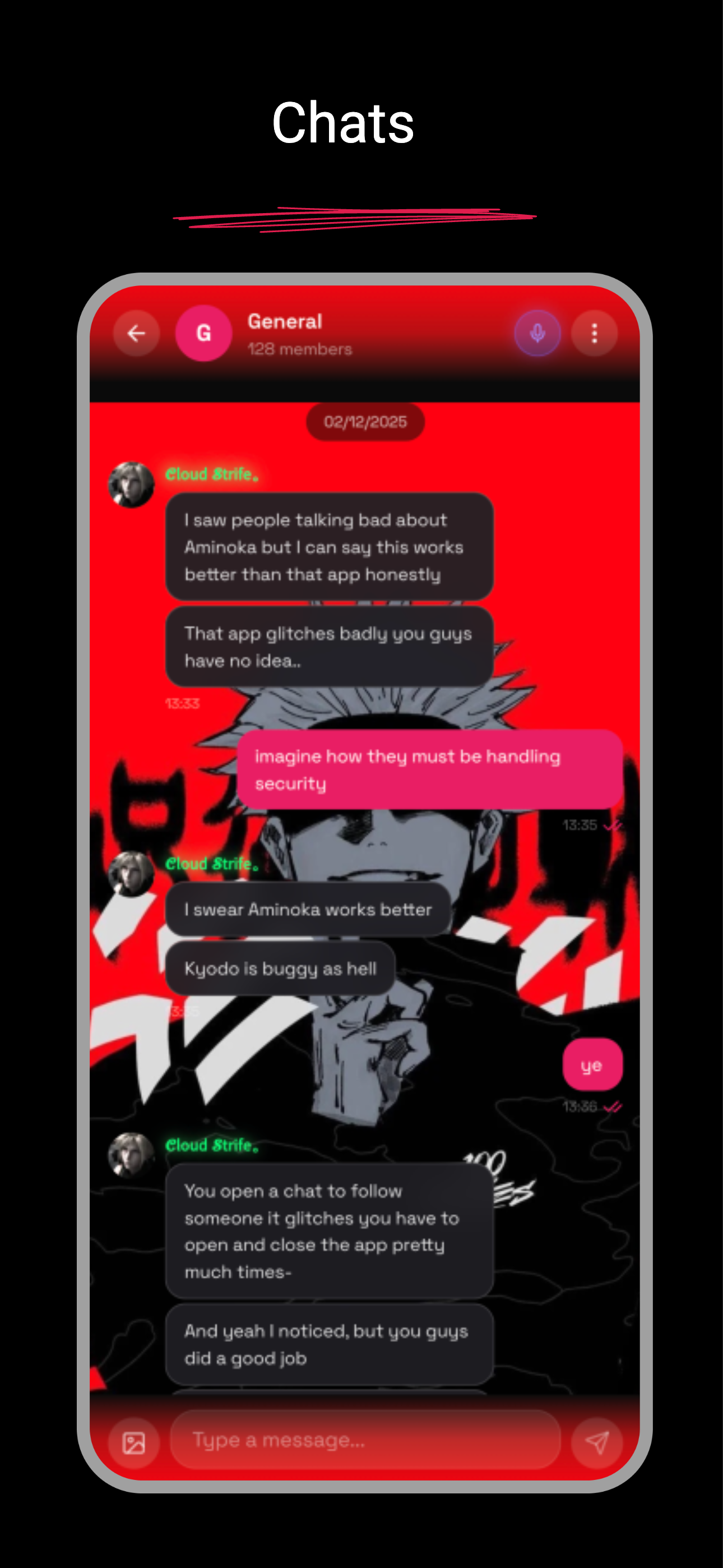
A chat room. Messages arrive over a live connection, with presence alongside. -
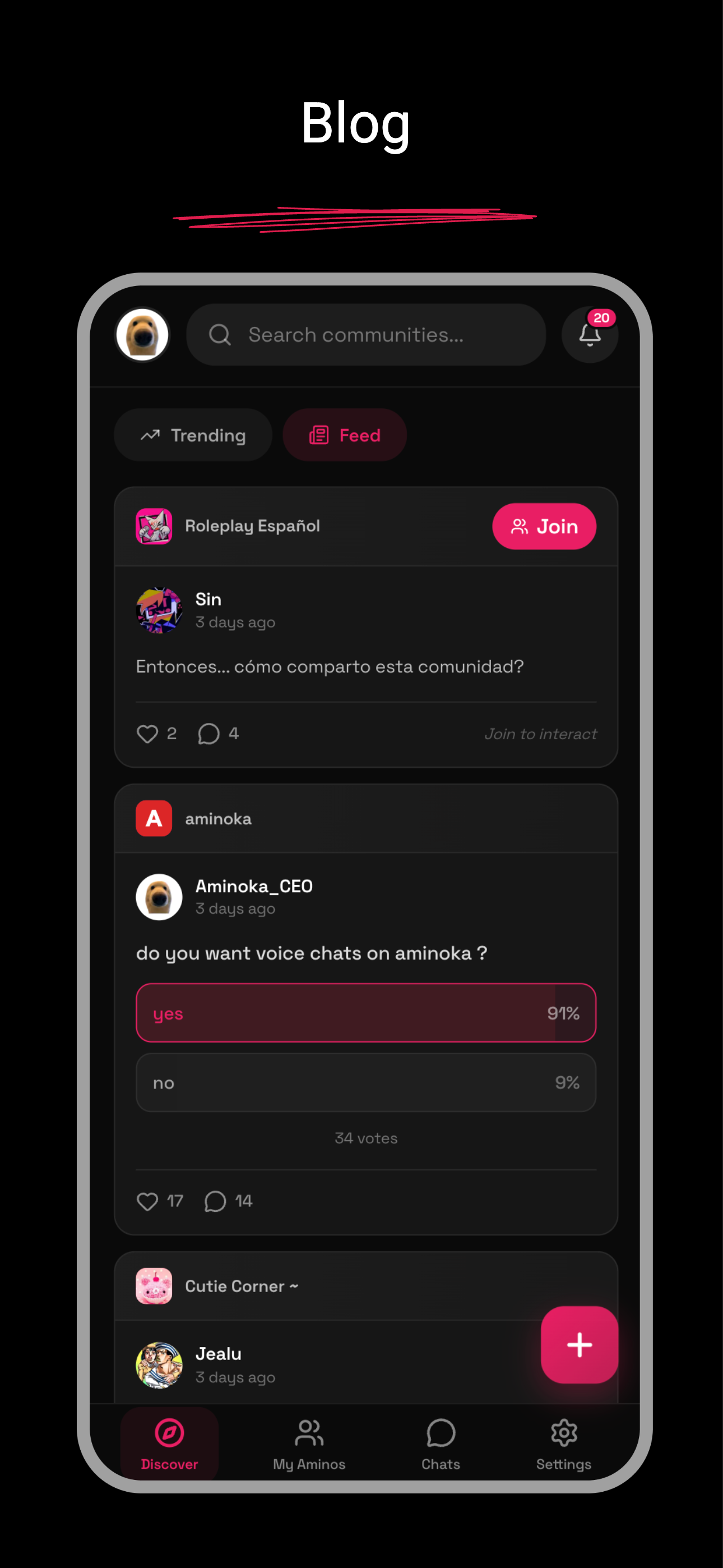
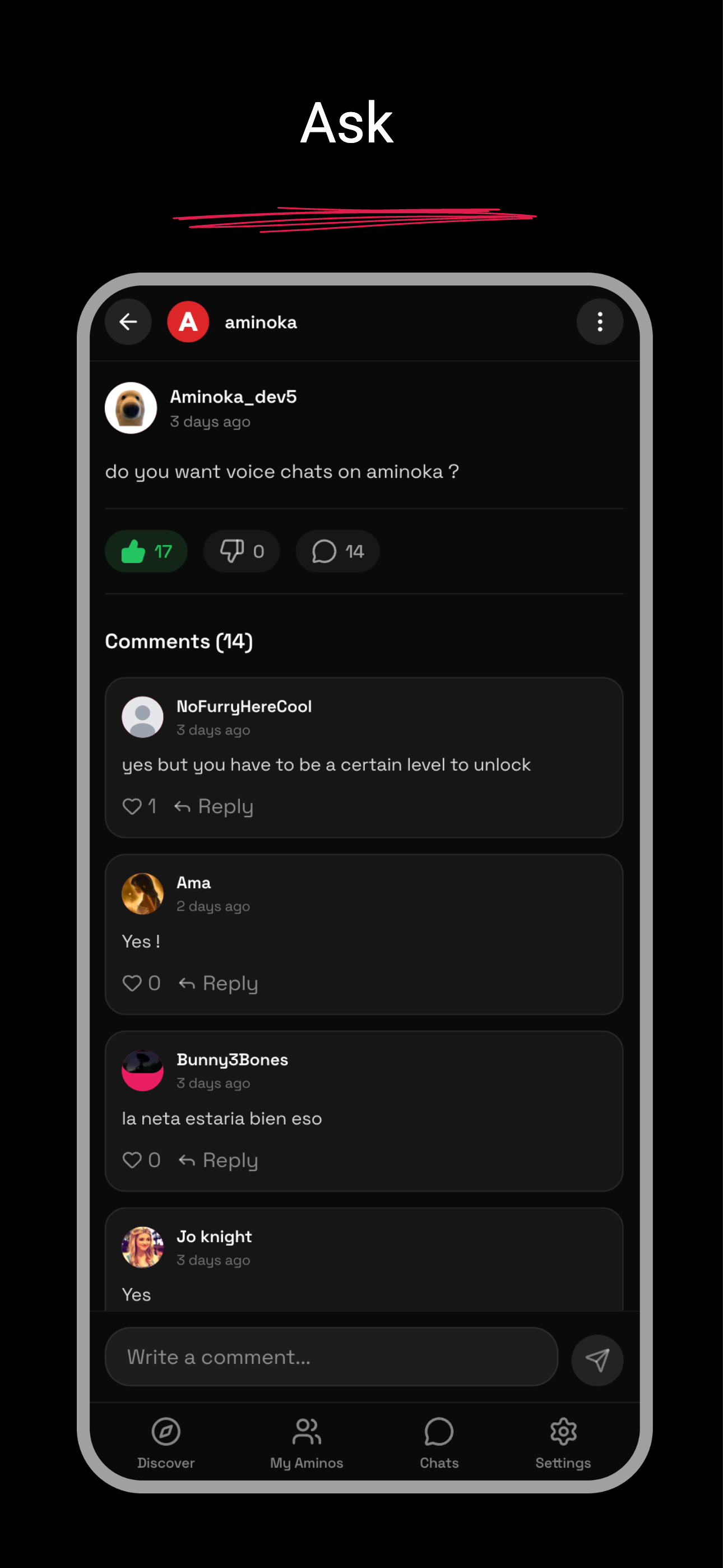
A community feed — posts, images and polls, with comments underneath. -
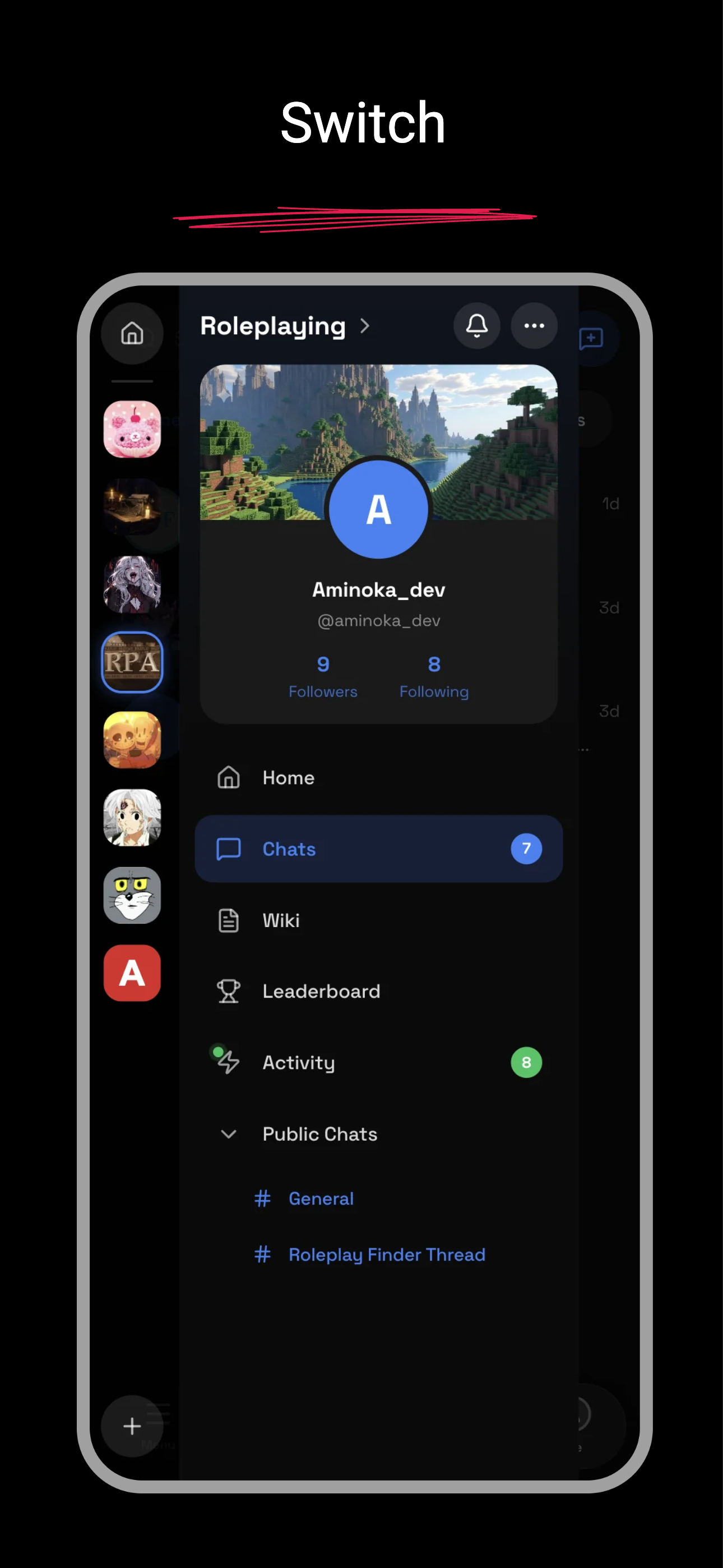
Switching communities. Each carries its own persona and its own unread state. -
A community profile — the identity you hold there, and nowhere else. -
Comments, likes and poll votes on a post.
Screenshots are taken from builds of the app. The interface changes as it ships.
Where it runs
Aminoka is a web app first. It works in any modern browser on a phone, tablet or desktop, and it installs to your home screen as a progressive web app — which is how most people use it. Native iOS and Android wrappers are built around the same app, so the feature set does not diverge between them.
Signing in is Google, Apple, or a six-digit code sent to your email. There are no passwords.
What is not here yet
Saying this is more useful than another feature list. Aminoka has no public screening rooms or livestreams, no global feed by design, and search covers communities rather than every post and person on the platform. Some things Amino had are simply absent, and some things here are newer than they look.
For the wider comparison against every other option, read the Amino alternative guide, the ranked list of alternatives on the blog, or start from the home page.
Would rather not use a social login? Sign in with an email code — we mail you a six-digit code, so there is no password to invent or forget.
By continuing you agree to our Terms of Service and Privacy Policy.